Choosing among hard drive duplicators for Mac can be confusing because the category includes both offline cloning docks and external drives used with Mac backup software. The right choice depends on whether you need a direct disk-to-disk copy, routine backups, or a higher-capacity desktop archive.
We selected 10 options across those use cases, including dual-bay docks, dedicated duplicators, and Mac-compatible portable and desktop drives. Use the guide below to match the hardware to your workflow, drive type, capacity needs, and preferred level of automation.
Best 10 Hard Drive Duplicators for Mac Picks for 2026
Best Dual-Bay Value
Sabrent USB 3.0 Drive Dock and Cloner

- Dual-bay SATA dock for 2.5-inch and 3.5-inch drives
- Offline cloning with no computer or drivers
- Supports drives up to 10TB
Best For: Home users seeking an affordable SATA dock with standalone cloning
Best for IT Workflows
StarTech Dual-Bay SATA Duplicator Dock

- Standalone sector-by-sector cloning without a computer
- Supports SATA III, 4Kn, TRIM, and USB 3.2 Gen 2
- Includes USB-C and USB-A cables
Best For: IT professionals performing repeatable SATA drive duplication
Best Portable Storage Companion
WD Elements 2TB External Drive

- 2TB portable USB external hard drive
- Plug-and-play design with USB 3.0 cable
- USB 3.2 Gen 1 transfer rates up to 5Gbps
Best For: Mac users needing a portable destination for backups or cloned data
Best for Sanitization
Systor Standalone HDD/SSD Duplicator

- Standalone duplication and erasure without a computer
- Handles 2.5-inch and 3.5-inch SATA drives
- DoD 5220.22-M-compliant sanitization
Best For: Businesses and technicians managing drive duplication and retirement
Best Mac-Friendly Dock

- Offline cloning without a computer
- Supports 2.5- and 3.5-inch SATA drives
- USB-C/USB-A with Mac compatibility
Best For: Mac users needing a compact two-bay cloning dock
Best High-Volume Duplicator
Systor 1:5 SATA Drive Duplicator

- Copies up to five drives simultaneously
- Standalone operation needs no computer
- Includes DoD-compliant drive erasing
Best For: Batch duplication and drive sanitization
Best Simple Mac Storage Option
WD 5TB Elements Portable Drive
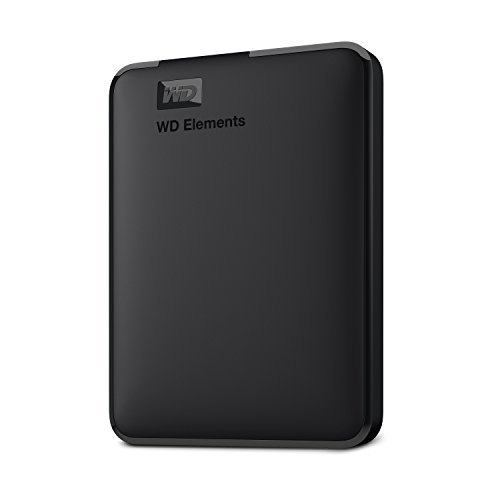
- 5TB portable external storage
- Plug-and-play for Mac and PC
- USB 3.2 Gen 1 connectivity
Best For: Mac backups and software-based cloning
High-Capacity Desktop Pick
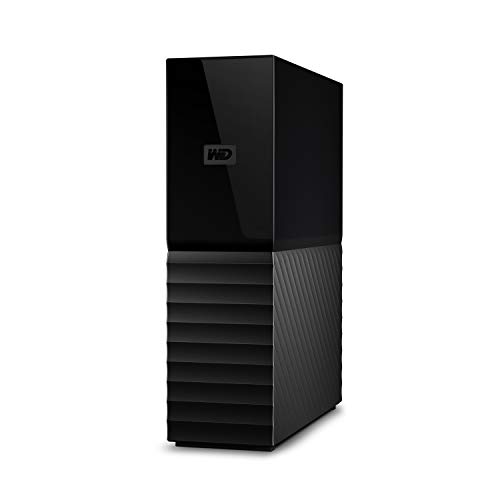
- 6TB desktop capacity
- 256-bit AES hardware encryption
- USB 3.0 and USB 2.0 compatible
Best For: High-capacity Mac backups at a desk
Portable Mac Backup Pick
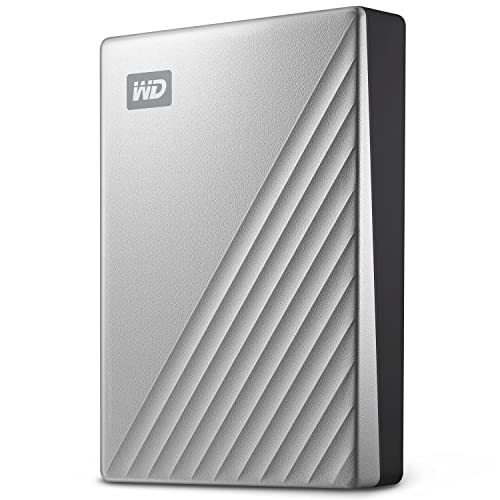
- Formatted for Mac
- USB-C and USB 3.1 compatible
- Portable 5TB encrypted storage
Best For: Portable MacBook backups
Largest Portable Option

- 6TB portable Mac storage
- Slim 2.5-inch aluminum design
- Backup software with password protection
Best For: Large portable Mac backup libraries
Best Dual-Bay Value – Sabrent USB 3.0 Drive Dock and Cloner
For shoppers comparing hard drive duplicators for mac, the Sabrent EC-HD2B is a straightforward dual-bay dock for standard 2.5-inch and 3.5-inch SATA hard drives or SSDs. It supports offline cloning without drivers and can also connect to a computer over USB 3.0.
Best For: Home users who want an affordable SATA drive dock with offline cloning.
Pros:
- Supports both 2.5-inch and 3.5-inch SATA HDDs and SSDs.
- Offline cloning requires no computer or drivers.
- Supports drives up to 10TB and USB 3.0 transfer speeds up to 5Gbps.
Cons:
- Offline cloning is limited to SATA drives supported by the dock.
- Reported offline cloning speed is up to 60Mbps, slower than its USB interface rate.
The Sabrent is a practical choice when you need both drive access and occasional standalone duplication in one compact unit. Its two-year extended warranty requires product registration.
Best for IT Workflows – StarTech Dual-Bay SATA Duplicator Dock
The StarTech SDOCK2U313R is a feature-rich option for hard drive duplicators for mac, although its standalone cloning works independently of the operating system. It copies 2.5-inch or 3.5-inch SATA drives sector by sector and doubles as a USB-connected SATA dock.
Best For: IT professionals and advanced users who need sector-by-sector duplication, 4Kn support, and TRIM compatibility.
Pros:
- Standalone cloning requires no computer and supports drives of any stated capacity.
- Sector-by-sector copying handles the entire source drive, including empty sectors.
- Includes USB-C and USB-A cables, a universal power adapter, eject buttons, and a two-year warranty.
- Supports SATA III, 4Kn, and TRIM.
Cons:
- The target drive must be equal to or larger than the source drive.
- IDE drives require a separately sold adapter.
- Sector-by-sector duplication can copy empty sectors, which may take longer than copying only used data.
With its tool-less design and 28GB-per-minute rated duplication speed, this StarTech dock is suited to repeatable drive-copying tasks. Its operating-system-independent cloning makes it a flexible choice for Mac-related workflows.
Best Portable Storage Companion – WD Elements 2TB External Drive
The WD Elements 2TB is not a standalone duplicator, but it can complement hard drive duplicators for mac as a portable destination for backups, cloned data, photos, videos, and documents. Its USB connection and plug-and-play design make it simple to use with compatible computers.
Best For: Mac users who need a compact 2TB external storage destination rather than a dedicated cloning dock.
Pros:
- Provides 2TB of portable storage in a compact enclosure.
- USB 3.2 Gen 1 supports transfer rates up to 5Gbps.
- Plug-and-play design includes a USB 3.0 cable.
- Includes a two-year limited warranty.
Cons:
- It is a single external hard drive, not a dual-bay or standalone duplicator.
- Its mechanical drive operates at a stated 5400 RPM.
- It does not provide offline drive-to-drive cloning by itself.
Choose the WD Elements when your priority is portable storage for a Mac workflow. Pair it with a separate duplicator if you need direct disk cloning without using computer software.
Best for Sanitization – Systor Standalone HDD/SSD Duplicator
The Systor SYS101HS-DP is a standalone duplicator and eraser for users evaluating hard drive duplicators for mac. It works without a computer, accepts 2.5-inch and 3.5-inch SATA HDDs or SSDs without an adapter, and supports both duplication and DoD 5220.22-M-compliant sanitization.
Best For: Businesses and technicians who need direct SATA duplication plus drive-erasure functions.
Pros:
- Operates independently without a computer or software.
- Accommodates 2.5-inch and 3.5-inch drives without an adapter.
- Copies data or an entire hard drive at speeds up to 90MB per second.
- Supports DoD 5220.22-M-compliant data sanitization.
Cons:
- Designed for SATA drives and does not describe USB cloning support.
- Its 5.4GB-per-minute rate is lower than faster duplicator specifications in this roundup.
- It is a dedicated duplicator/eraser rather than a portable storage drive.
The Systor stands out when secure drive retirement matters as much as duplication. Hot-swappable support, metal construction, lifetime technical support, and a three-year labor/one-year parts warranty add value for recurring operational use.
Best Mac-Friendly Dock – ORICO USB-C 2-Bay Drive Dock
If you need hard drive duplicators for Mac, the ORICO USB Type-C to SATA 2-Bay Docking Station is a flexible choice for cloning or accessing 2.5-inch and 3.5-inch SATA drives. It supports macOS, UASP and TRIM, and offers transfer speeds up to 5Gbps through its USB-C or USB-A connection.
Best For: Mac users who want an affordable two-bay dock with offline cloning and broad device compatibility.
Pros:
- Supports offline cloning without a computer or software.
- Works with 2.5-inch and 3.5-inch drives, with dual-bay capacity up to 22TB.
- Includes USB-C and USB-A connectivity plus support for Windows, Mac, Linux, iPadOS and Android.
- Offers LED status monitoring and automatic sleep after 10 minutes.
Cons:
- The target disk must have greater capacity than the source disk for cloning.
- Its 5Gbps interface is slower than newer high-speed storage standards.
Choose this ORICO dock when you want one compact device for drive access and straightforward offline duplication. Its two-bay design is practical for routine Mac upgrades, backups and drive transfers.
Best High-Volume Duplicator – Systor 1:5 SATA Drive Duplicator
For buyers comparing hard drive duplicators for Mac and other systems, the Systor SYS105HS-DP is a standalone solution designed to copy or sanitize multiple SATA drives at once. It handles 3.5-inch hard drives and 2.5-inch SSDs without adapters and duplicates at up to 90MB per second.
Best For: Workflows that require simultaneous duplication or DoD 5220.22-M-compliant drive erasing.
Pros:
- Operates without a computer or software.
- Can copy up to five SATA drives simultaneously at a consistent advertised speed.
- Supports data-only or whole-drive duplication.
- Includes drive erasing compliant with DoD 5220.22-M sanitization.
Cons:
- Its 26-pound weight makes it considerably less portable than a dock.
- The supplied details identify PC as the hardware platform, so Mac-specific operation should be confirmed before purchase.
- It uses SATA connectivity rather than a modern USB-C workflow.
This Systor is better suited to professional or batch-processing environments than occasional home cloning. Its standalone operation, five-drive capacity and sanitization function make it the most specialized option in this group.
Best Simple Mac Storage Option – WD 5TB Elements Portable Drive
The WD 5TB Elements is not a standalone duplicator, but it can serve as a straightforward destination drive when using Mac backup or cloning software. It is plug-and-play ready for Mac and PC, connects over USB 3.2 Gen 1/USB 3.0, and provides 5TB of portable storage.
Best For: Mac users who need a large, portable external drive for backups or cloned-drive storage.
Pros:
- Provides 5TB of storage in a compact 2.5-inch portable enclosure.
- Offers plug-and-play expandability for Mac and PC.
- Uses a SuperSpeed USB connection rated up to 5Gbps.
- Includes a USB-A cable and a two-year limited warranty.
Cons:
- It does not perform drive duplication by itself.
- Cloning requires a Mac or PC and separate software.
- The supplied connection is USB-A rather than USB-C.
Select the WD Elements if your priority is inexpensive, portable capacity rather than hardware-based duplication. It pairs well with Mac cloning or backup software, but it is not a replacement for a dedicated duplicator.
High-Capacity Desktop Pick – WD My Book 6TB
For shoppers comparing hard drive duplicators for Mac, the WD My Book 6TB is a practical desktop storage option for backups, file archiving, and everyday personal or business use. Its USB 3.0 connection works with USB 2.0 systems, while included backup software and hardware encryption add useful data-management features.
Best For: Mac users who want high-capacity desktop storage for personal or business backups.
Pros:
- 6TB capacity with options available up to 18TB.
- 256-bit AES hardware encryption and password protection.
- USB 3.0 connectivity with USB 2.0 compatibility.
- Includes device-management and backup software.
Cons:
- Desktop form factor requires an AC adapter.
- At 1.05 kg, it is less convenient for frequent travel.
The My Book is best suited to a stationary Mac setup where capacity matters more than portability. It is a solid choice for maintaining large backup collections, though it is not a dedicated drive duplicator.
Portable Mac Backup Pick – WD My Passport Ultra 5TB
Among hard drive duplicators for Mac, the WD My Passport Ultra for Mac stands out as a compact, Mac-formatted portable drive. It combines 5TB of storage with USB-C and USB 3.1 compatibility, plus password protection, hardware encryption, and backup software for mobile workflows.
Best For: MacBook users who need portable backup storage with USB-C connectivity.
Pros:
- Formatted for Mac for straightforward setup.
- Portable 2.5-inch design weighs 8.1 ounces.
- USB-C and USB 3.1 compatible.
- Includes 256-bit AES hardware encryption and password protection.
Cons:
- 5TB capacity is lower than the 6TB models in this roundup.
- Portable 2.5-inch storage is better for convenience than desktop expansion.
Its Mac-ready formatting and metal enclosure make this a convenient choice for carrying backups between locations. Choose it when portability and USB-C support are more important than maximum capacity.
Largest Portable Option – WD My Passport for Mac 6TB
For Mac users evaluating hard drive duplicators for Mac, the WD My Passport for Mac offers 6TB in a slim portable 2.5-inch design. It is Mac-ready, USB-C compatible through the included adapter, and includes backup software with password protection and ransomware-defense features.
Best For: Users who want the highest listed portable capacity for Mac files and backups.
Pros:
- 6TB capacity in a portable 2.5-inch enclosure.
- Mac-ready and compatible with USB 3.0 and USB 3.2 Gen 1.
- Includes USB-A cable and USB-A-to-USB-C adapter.
- Backup software includes password protection and defense against ransomware.
Cons:
- It is a mechanical hard drive rather than a solid-state drive.
- Some Mac setups may require using the included adapter for USB-C connection.
This model is a strong fit when you need 6TB without moving to a desktop enclosure. Its slim aluminum design and Mac-focused setup make it especially practical for transporting a larger backup library.
How We Picked These Hard Drive Duplicators for Mac
We evaluated the products by looking at their primary function, drive compatibility, connection type, capacity, portability, and backup features. Standalone duplicators were considered for offline cloning and drive-erasing tasks, while docking stations were assessed for flexibility with bare SATA drives. External WD drives were included because many Mac users need dependable storage for Time Machine, file archives, or software-assisted cloning rather than a dedicated duplicator.
We also considered practical details such as 2.5-inch and 3.5-inch SATA support, USB and USB-C connectivity, stated transfer rates, password protection, bundled backup software, and whether the drive is suited to travel or desk-based use.
Quick Comparison
| Best For | Recommended Type | What to Look For |
|---|---|---|
| Offline drive cloning | Dual-bay cloner | Source and target drive support, standalone operation, clear clone controls |
| Frequent drive testing | Docking station | Two bays, SATA compatibility, stable USB connection |
| Routine Mac backups | Portable external drive | Enough capacity, Mac compatibility, compact design, backup software |
| Large desktop archives | Desktop external hard drive | Higher capacity, continuous power, password protection, automatic backup options |
| Multiple-copy production work | 1:5 duplicator | Simultaneous targets, supported media types, sustained write performance |
Key Buying Factors for Hard Drive Duplicators for Mac
Cloning Method
A standalone duplicator copies one drive to another without requiring macOS, which is useful for upgrading a boot drive or making a sector-level duplicate. A dock connected to your Mac offers more control through Disk Utility or third-party cloning software, but it requires a computer and compatible software.
Drive Size and Interface
Confirm whether the unit accepts 2.5-inch drives, 3.5-inch drives, or both. Most products here are designed for SATA HDDs and SSDs; they are not automatically compatible with NVMe M.2 drives. Also check the target drive’s capacity. For a full clone, the destination generally needs to be at least as large as the source, even if the source is not completely full.
Mac Connectivity and Format
USB 3.x works with modern Macs, but USB-A docks may require an adapter or hub on a MacBook. USB-C models can simplify connection, though port shape does not guarantee faster real-world transfers. A new drive may need to be formatted in Disk Utility for APFS, Mac OS Extended, or a cross-platform format before use.
Capacity and Backup Features
Choose portable drives for mobility and desktop models for larger, always-connected libraries. Password protection and bundled backup software can add convenience, but they do not replace a second backup. For important data, keep at least one additional copy offline or in another location.
Who Should Buy Which Hard Drive Duplicators for Mac?
Choose a dual-bay standalone cloner if your priority is replacing or duplicating SATA drives without opening macOS. Pick a two-bay docking station if you regularly inspect, erase, transfer, or clone multiple bare drives from a Mac. A 1:1 duplicator suits occasional one-source, one-target jobs, while a 1:5 model is better for technicians or organizations producing several copies at once.
For everyday Mac backups, a portable WD drive is the more straightforward choice, especially if you move between home, office, and travel. Select a higher-capacity desktop model when you need a large archive, automated backups, or a stationary media library. Whichever option you buy, verify your Mac’s ports, check the included cable, and confirm that the drive capacity and interface match your intended workflow before ordering.